Lolumen for Hearthstone,on your desktop.
A free Mac app that follows each game from Hearthstone’s own log: a deck tracker with your draw odds over the game, the opponent’s cards as they’re revealed, and every game sent to your Lolumen tracker with its deck.
On Windows? The Windows version is coming soon.
The Lolumen desktop app runs on a Mac.
The first release is on its way.The Mac download appears here as soon as it’s out. Until then, the web tracker logs games in a few keys, or imports a whole session from Hearthstone’s Power.log.
- macOS 13 Ventura or later
- Apple silicon and Intel
- Windows coming soon


Over the game, out of the way.
Two small windows float over Hearthstone and open without taking the focus from the game.
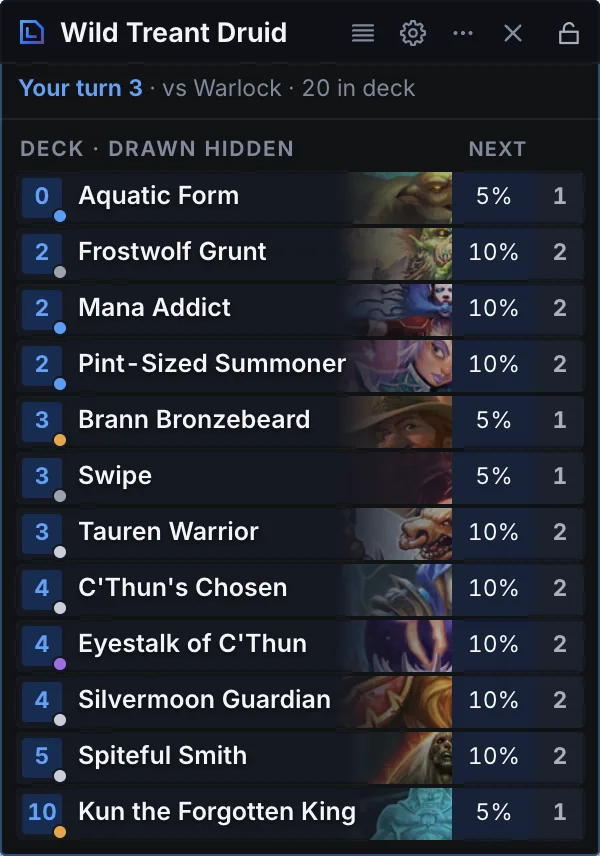
- Your deck, as it stands. What’s left in the deck you queued, and each card’s chance of being your next draw.
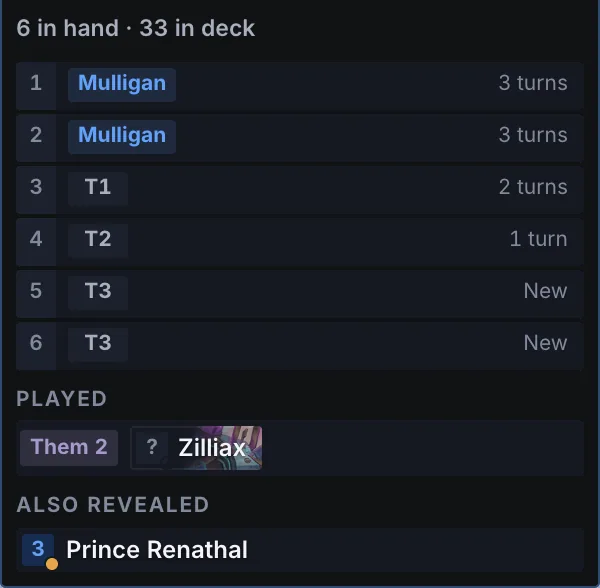
- Their cards, as they’re revealed. The opponent’s hand slot by slot with the turn each card came in, their secrets, what they’ve played, and the cards known to be back in their deck.
- Locked, clicks go to the game. Lock the overlays and every click passes straight through to Hearthstone. Shortcuts show, hide or lock them while you play.
Every game, sent for you.
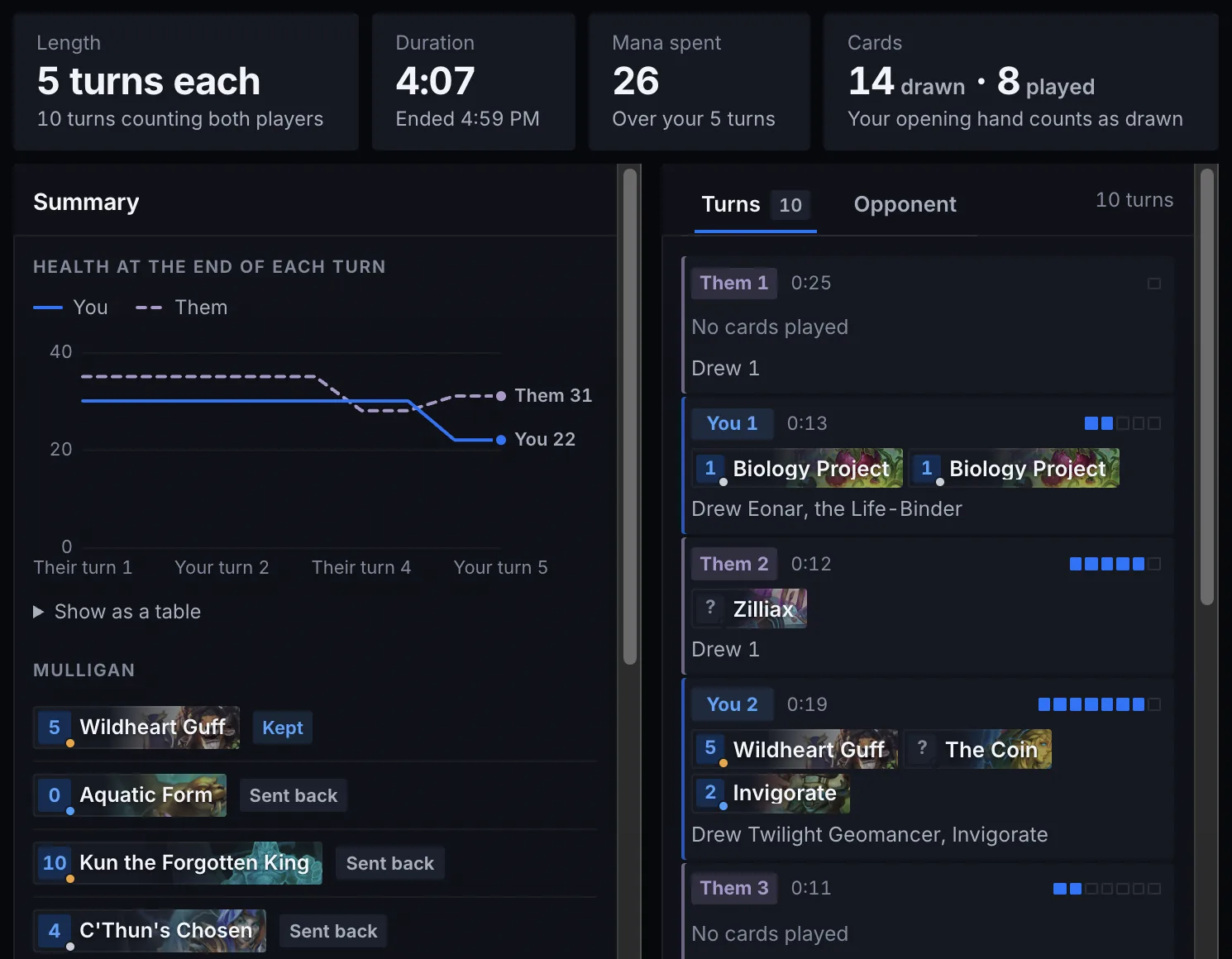
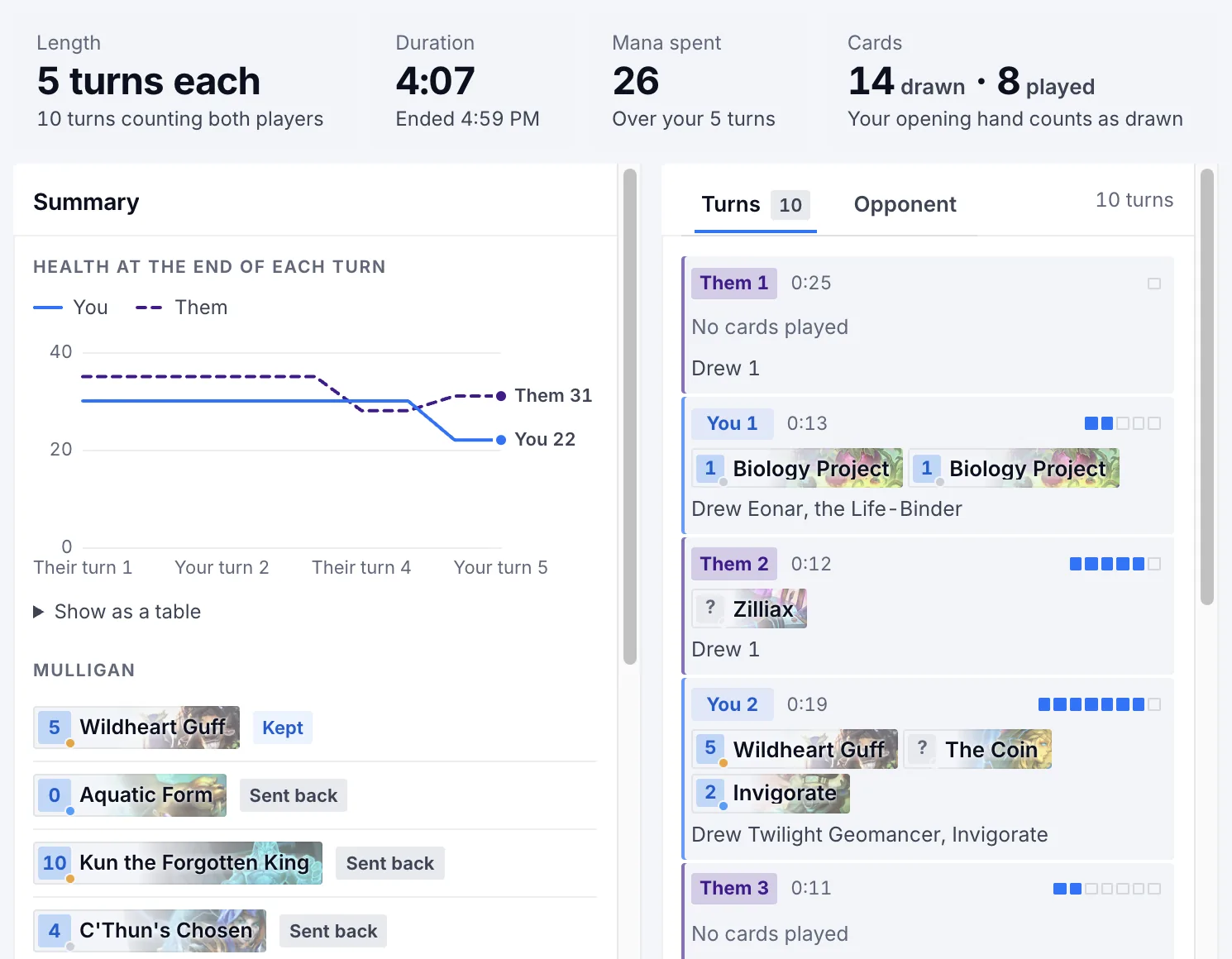
When a game ends, the app shows its summary and sends it to your Lolumen tracker. There’s nothing to log by hand.
- With its deck. A game is filed under your saved deck when the cards match exactly, and otherwise keeps the code of the deck you queued.
- With what was played. The cards each side played, the cards you saw and your mulligan, for the analytics to read.
- Never lost. Offline, or not connected yet, games wait on your computer and go when they can. If Hearthstone closes mid-game, the game is kept for you to give the result.
Your Lolumen, in a window.
Close the window and it keeps tracking from the menu bar. Open it for everything else.
- The live viewThe game in a full window: your deck with the odds of the next draw or the next few, the game turn by turn, both sides’ cards and the mulligan.
- AnalyticsThe site’s analytics for your decks, worked out the same way and within the same plan.
- Games and decksYour whole history, paged and filtered, and each saved deck with its list, curve, record and matchups.
- Your collectionThe decks in your Hearthstone collection, read from its log, each saved to Lolumen in one click.
- Earlier sessionsHearthstone keeps each session’s logs, so games from before the app was running can be imported, if logging was already on.
- Light and darkMatch your Mac, or pick one. The overlays stay dark over the game unless you have them match the app.
Safe by design.
Lolumen only reads what Hearthstone writes down for itself.
- Only the logsIt reads the log files Hearthstone writes on your computer. To have them written, it turns on logging in Hearthstone’s log.config and leaves the rest of that file as it was.
- Never the game’s memoryIt never reads or changes the game’s memory, and never runs anything inside the game.
- Never plays for youIt never sends a click or a key to Hearthstone, and never automates anything. Its shortcuts only show, hide or lock Lolumen’s own windows.
- Nothing hiddenIt shows only what the game has already shown you: an opponent’s card appears once it’s revealed, never before.
Lolumen is an independent app. It isn’t made by Blizzard or affiliated with it.
Three steps, then just play.
- Download it.The disk image for your Mac will be here as soon as the first release is out.
- Drag it into Applications. Open the .dmg, drag Lolumen into your Applications folder, and open it from there.
- Connect your account. Choose Connect in the app and confirm in your browser. A Lolumen account is free: create one.You’re signed in already, so it’s one click.
The first time it runs, the app turns on Hearthstone’s logging. Hearthstone reads that setting when it starts, so if it’s already open, restart it once.
Questions
Is it free?
Yes. The app is free, and so is every game it tracks, on every plan.
Premium adds the deeper analytics, in the app and on the site: every deck by matchup, the coin, game length and rank, card performance, community matchups, and your whole history rather than the last 30 days.
Does it slow the game down?
It runs beside the game, not inside it. Each second it reads only the lines Hearthstone has added to its logs since it last looked, and the overlays are ordinary windows above the game. Hearthstone writes the logs itself, as it does for anyone who turns its logging on.
Which data leaves my computer?
To your own Lolumen account it sends only each game you finish (both classes, the result, who went first, the format and mode, how many turns, when it was played, the cards each side played, the cards you saw, your mulligan and the deck you queued), the decks you choose to save from your collection, and, when you connect, your computer’s name, so you can tell your computers apart in Settings. Each request carries the app’s version.
It never sends the logs themselves, anyone’s name, or anything else on your computer. A game’s turn-by-turn record stays on your computer. Disconnect a computer in Settings and it stops straight away.
Apart from that, it only downloads: the pictures of the cards it shows, your account picture, and, shortly after it opens and every few hours, a check for a new version of the app, from GitHub, where its releases are published (and the new version, when there is one). That check carries a random ID made for this copy of the app.
Do I need an account?
To keep your games, yes, and it’s free. Without one, the live view and the overlays still work, and the games you finish wait on your computer until you connect.
Is there a Windows version?
It’s coming soon. It has to be tested on real Windows PCs before it ships. Until then, the web tracker logs games in a few keys, or imports them from Hearthstone’s Power.log.
Just play. Lolumen keeps score.
The Mac app is on its way. The web tracker is free and ready now.